Wasabi Docs: Complete Guide to Bitcoin Wallet, CoinJoin, UTXO and BTC Privacy
This page is a full-content version rebuilt on top of the existing template. It includes key guidance for wallet creation, recovery-phrase backup, wallet recovery, Coins / UTXO management as the privacy core of a Bitcoin wallet, Connections, and CoinJoin. The goal is not only to show where to click, but to help users understand Wasabi’s privacy logic, network logic, and usage boundaries.
1. Overview and preparation
Wasabi is a BTC wallet focused on BTC privacy. Its core value is not only sending and receiving BTC, but helping users manage UTXOs better, hide network-side information through Tor, and improve on-chain privacy through CoinJoin.
- The recovery words and passphrase define the wallet itself. Losing any key part of that information may make asset recovery impossible.
- Wasabi privacy is not a single button. It is the combined result of Coins management, Tor and CoinJoin.
- CoinJoin can improve privacy, but it does not mean “absolute anonymity in every scenario.”
2. Download and install
It is recommended to download from the official source Wasabi. After installation, wait patiently for initialization on first launch. Later, during the first wallet recovery or after a long period without syncing, the app will also download and process Bitcoin historical data. This is a normal workflow.
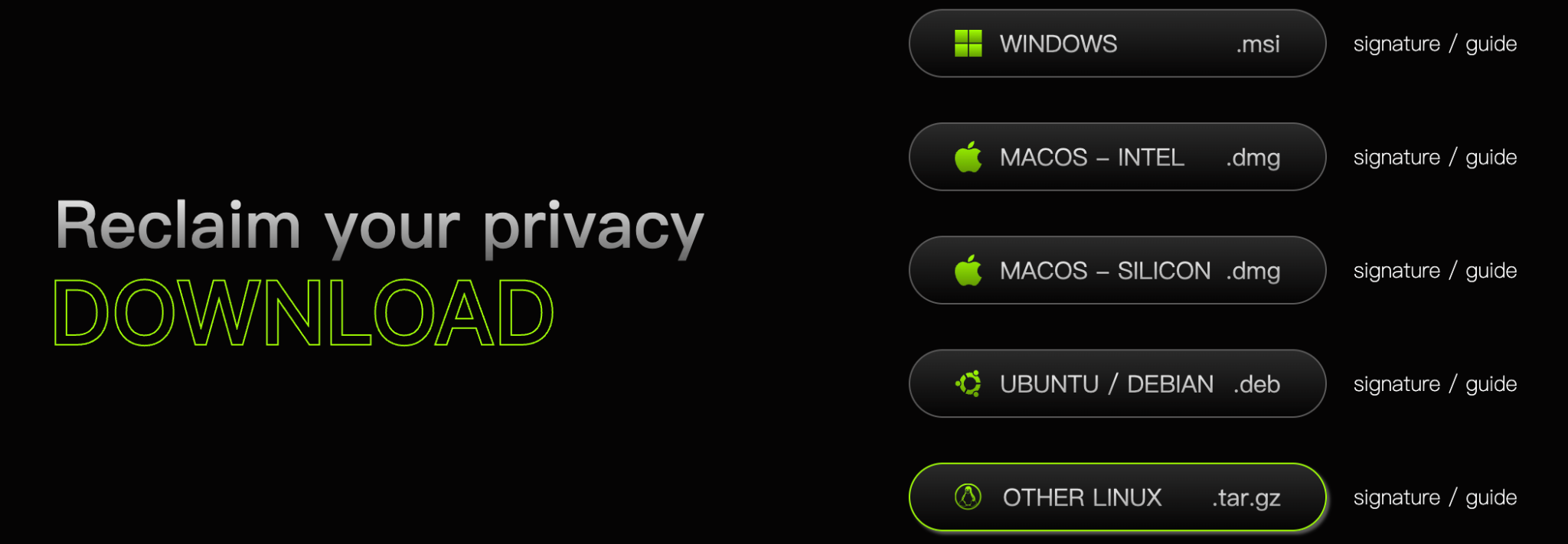
Illustration of the official download and installation page. You can choose the corresponding package by operating system, such as Windows, macOS Intel, macOS Silicon, Ubuntu / Debian, or other Linux versions.
- Prefer official release builds.
- Work on your own regular device and do not create or recover a wallet on a temporary machine.
- Before Create a wallet, prepare offline pen and paper to record the recovery words and passphrase.
3. Create a wallet


3.1 Start from the entry point
After opening Wasabi, on the Add Wallet page choose Create a new walletIf you already have the recovery words of an older wallet, do not choose the wrong entry here, or you will create a completely new wallet.
3.2 Enter the wallet name
The wallet name is only a local display name, making it easier to distinguish wallets on the current device. It is not written to the blockchain and does not change your addresses.
- You can distinguish them by purpose, device name or date, such as “Cold Wallet” or “2026 Main Wallet”.
- Avoid using overly sensitive descriptions, especially in situations where others may see your screen.
4. Back up the recovery phrase and passphrase


4.1 Recovery words are the core of wallet recovery
After Create a wallet, Wasabi displays 12 recovery words. You must copy them in order and store them safely. If even one word is out of order, the wallet restored later may not be the original one.
4.2 Verify the recovery words
Wasabi asks you to confirm the recovery words again. The purpose is to ensure that you did not just look at them, but actually recorded them correctly.
4.3 A passphrase is not an ordinary password
The Wasabi passphrase is not just a local unlock password. It is an extended secret for the recovery words and directly participates in wallet generation and recovery.
- Recovery words + passphrase = the final wallet.
- With the same recovery words but a different passphrase, the restored wallet is completely different.
- If a passphrase was enabled, forgetting it means you cannot recover the original wallet.

- Balance is 0: normal, because no funds have been received yet.
- If Privacy Progress shows N/A, it means there are currently no UTXOs for which privacy progress can be calculated.
- After that, you can begin receiving, sending or configuring CoinJoin.
5. Recover a wallet


5.1 Key points of the recovery flow
- When restoring an existing wallet, please use the Recover a wallet entry rather than creating a new wallet.
- In most cases ordinary users should choose Single mnemonic phrase (BIP39) That is enough.
- When entering recovery words, spelling and order must be completely correct.
- If a passphrase was set during creation, the same content must be entered again during recovery.
- Historical block data has not finished scanning yet.
- The passphrase was entered incorrectly and restored a different wallet.
- One of the recovery words is misspelled or in the wrong order.
6. Receive and send
When receiving funds, try to add labels for the source so you can identify where funds came from later on the Coins page. When sending, do not look only at the total balance; pay attention to which UTXOs are actually being used.
- Use a new address whenever possible for each receipt.
- Label funds from different origins, such as exchange deposits, transfers from friends, salary, and so on.
- Labels are not decoration. They are an important basis for later privacy management.
- which UTXOs are being used this time.
- whether CoinJoin outputs are being spent together with coins from KYC sources.
- whether the miner fee is reasonable.
7. Miner fees and change
Bitcoin transactions consume network fees, and Wasabi suggests values based on the current fee-rate source. Fees that are too low may slow confirmation, while fees that are too high increase cost. Change outputs also affect privacy because they expose which inputs in this transaction likely belong to the same person.
- Use a higher fee rate when fast confirmation matters; lower it when you are not in a hurry.
- Change is not itself a mistake, but it becomes one of the clues used in on-chain analysis.
- In privacy-sensitive situations, it is best to check the Coins page before sending so you understand exactly which coin you are spending.
8. Privacy basics and the UTXO mindset
Wasabi's core concept isn't "account balance," but rather UTXOs. Each time you receive BTC, it creates a separate coin. Your total balance is simply the sum of these UTXOs.
- Receive 0.1 BTC → one UTXO is created
- Receive another 0.2 BTC → another UTXO is created
- Your wallet is not “one 0.3 BTC account”, but “two coins from different origins”
One coin comes from an exchange (KYC) and another from CoinJoin. If you spend them together, the CoinJoin coin may become linked back to a real-world identity.
9. Coins / UTXO Management (The Core of Bitcoin Wallet Privacy)


9.1 How to read the Coins page
On the Coins page, each row is a separate UTXO. You can see the amount, label, privacy state, and whether it is selected for later spending.
9.2 Manual coin selection is a core Wasabi capability
The checkbox on the left means you can manually specify exactly which coin is spent this time. Automatic coin selection is convenient, but manual coin selection is the key action for privacy control.
9.3 Why labels matter
For example, in the screenshot: ff labels, indicating that the UTXO carries specific source information. The clearer the labels are, the easier it is to judge which coins can be used together and which should not be mixed.
10. Connections Settings


https://api.wasabiwallet.io/, and it is generally not recommended to change it.- Do not modify the Indexer URI casually.
- It is recommended to keep the default source for miner fees.
- Keeping transaction broadcasting at the default setting is enough.
- If you care about privacy, keep Tor = Enabled.
11. Preparation Before CoinJoin
Before starting CoinJoin, the wallet must meet the basic conditions: there is BTC eligible to participate, the network connection is normal, the Indexer is working, Tor is working, and the user understands that post-CoinJoin coins should not later be mixed with clearly KYC-sourced funds.
- There is already BTC in the wallet, and the amount is not too small.
- In the bottom-right status panel, Tor is running and the Indexer is connected.
- The coin origins on the Coins page should be clear and labels should be explicit.
12. CoinJoin Parameter Explanations
The essence of CoinJoin is to combine the transaction inputs and outputs of many users together, making external analysis more difficult. Parameter settings are not better simply because they are more aggressive; they need to balance privacy, time and cost.
- Keep the Coordinator at the default setting.
- Do not change parameters you do not yet understand.
- First understand the Coins page, then understand CoinJoin, and only then adjust parameters.
13. CoinJoin Execution and Post-Check
After the wallet starts CoinJoin, the original UTXOs are split and reorganized across multiple rounds, creating new outputs. After completion, the coins shown on the Coins page will visibly differ from before, and the anonymity level will increase.
13.1 Understanding the process while it is running
- CoinJoin is usually not completed in one round and may require multiple processing steps.
- It is normal to see progress change during the process.
- Closing the wallet will not make the coins “disappear”, but it will interrupt the current process and you can continue after reopening.
13.2 What to check after completion
- Return to the Coins page to check the new coin status and tags.
- Check whether the anonymity level reached the preset target.
- In later use, do not mix post-CoinJoin coins with coins from explicit KYC sources.
CoinJoin can improve privacy, but some exchanges or KYT systems may still be able to identify related fund flows. Sending coins into a centralized platform immediately after CoinJoin may trigger additional review.
14. Wallet Stats / Wallet Info / Status Panels


14.1 Wallet Stats
Wallet Stats is used to quickly inspect the overall state of the wallet, including the number of UTXOs, confirmed balance, total number of transactions, number of CoinJoin transactions, and number of addresses. A high address count is normal because Wasabi automatically creates new addresses to reduce address reuse.
14.2 Wallet Info
This page is geared towards advanced users, displaying low-level information such as extended public and private keys, derivation paths, and descriptors. Regular users typically don't need to interact with this content.
Information such as xprv, zprv and descriptors should never be casually shown to others, and screenshots containing them should not be published.
14.3 How to use the bottom-right status panel
- Priority Fee: current recommended network fee rate.
- Chain Tip: current observed block height.
- Tor is running: whether Tor is functioning normally.
- Indexer is connected: whether the backend indexing service is available.
- Peers: the number of nodes currently connected.
15. Advanced Features and Risk Notes
As you go deeper, you may encounter lower-level concepts such as descriptors, derivation paths, hardware-wallet integration, and different address types such as SegWit and Taproot. Ordinary users do not need to learn everything at once, but should at least know these concepts exist, and that many advanced details can seriously affect asset safety and privacy if exposed.
- Both the recovery words and the passphrase must be stored offline.
- Do not send real recovery words, a real passphrase, xprv, or a full descriptor in chat tools.
- CoinJoin is not suitable for every withdrawal destination.
- Privacy is “process management”, not something finished by flipping one switch.
16. FAQ
Why can’t I see the balance after recovery?
A common reason is that block-history processing has not yet finished, or the passphrase / recovery words were entered incorrectly and a different wallet was restored.
Why is the Coins page more important than the balance?
Because from the privacy perspective you are not managing one “total number”, but one UTXO after another from different origins.
Must Tor be enabled?
If you care about privacy, it is recommended to keep it Enabled. Turning Tor off lowers network-level privacy.
Can you withdraw after CoinJoin?
Yes, but it does not guarantee that every platform welcomes this kind of inflow. In practice, extra review may occur.
Why can the same recovery words fail to restore the original wallet?
Because a passphrase may have been enabled during creation. The same recovery words with a different passphrase produce a different wallet.